GA4 vs BigQuery: what’s the difference (and why it matters)
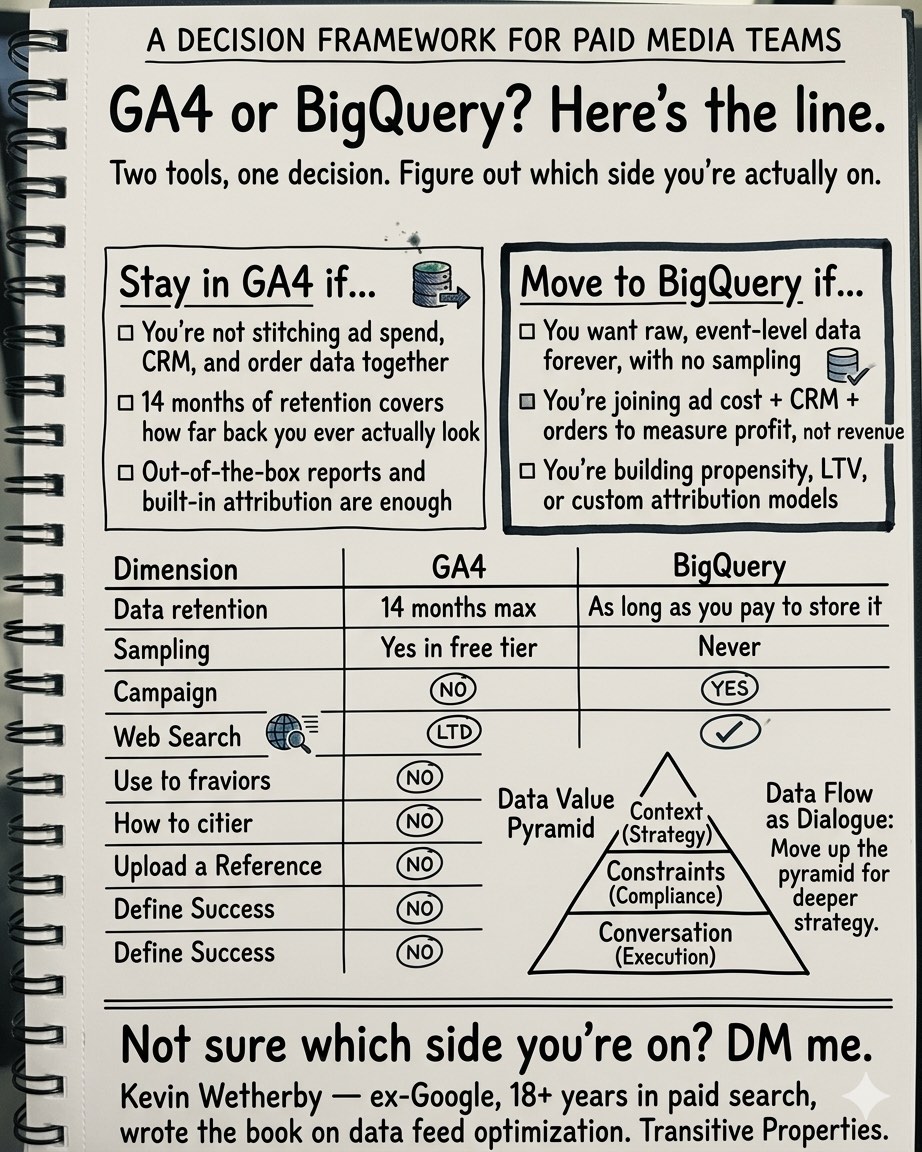
Short version: GA4 is a reporting tool. BigQuery is a data warehouse. If you only run GA4, you’re limited to the questions Google decided to pre-build reports for.
For most businesses spending under $10K/month on ads, GA4 alone is fine. Once you’re past $30K/month, you start running into questions GA4 won’t answer. That’s when BigQuery pays for itself.
I’ve spent the last 18 years in paid search, including time at Google, and now run a small roster of accounts at $30-50K/month in ad spend. The first time a client sees their real customer journey in BigQuery, rather than a last-click summary in GA4, is usually the moment they realize how much budget they’ve been wasting.
What GA4 does well
Event tracking, rough conversion reporting, audience building for Google Ads, trend views by channel. If your question is “roughly how much traffic and revenue did I get last month,” GA4 can answer it.
It’s free. That matters.
Where GA4 starts to lie to you
Three issues I run into in almost every audit:
- Sampling. Apply enough filters or custom dimensions in the GA4 UI and Google samples your data. Your numbers become estimates. You don’t always get a warning.
- Thresholding. GA4 hides small user counts to protect privacy. New products, niche campaigns, and early-stage funnels disappear or round to zero.
- Attribution baked in. GA4 assigns credit using whichever default model Google sets for your property. You can’t rebuild it from the raw numbers because you don’t have the raw numbers.
None of these show up with a banner. You just get worse decisions.
What BigQuery gives you that GA4 won’t
Raw, event-level data. Every click, every session, every transaction. No sampling, no thresholding, no forced attribution model.
A few things I’ve done with client data in BigQuery that were flat-out impossible in the GA4 UI:
- Calculated product-level ROAS across a 30-day window, joining ad spend to revenue by SKU. GA4 can’t link Google Ads cost to product-level revenue cleanly.
- Measured time-to-convert for first-time buyers by channel. One client found paid social buyers averaged 14 days; paid search was 2. That single chart reshaped how they thought about the funnel.
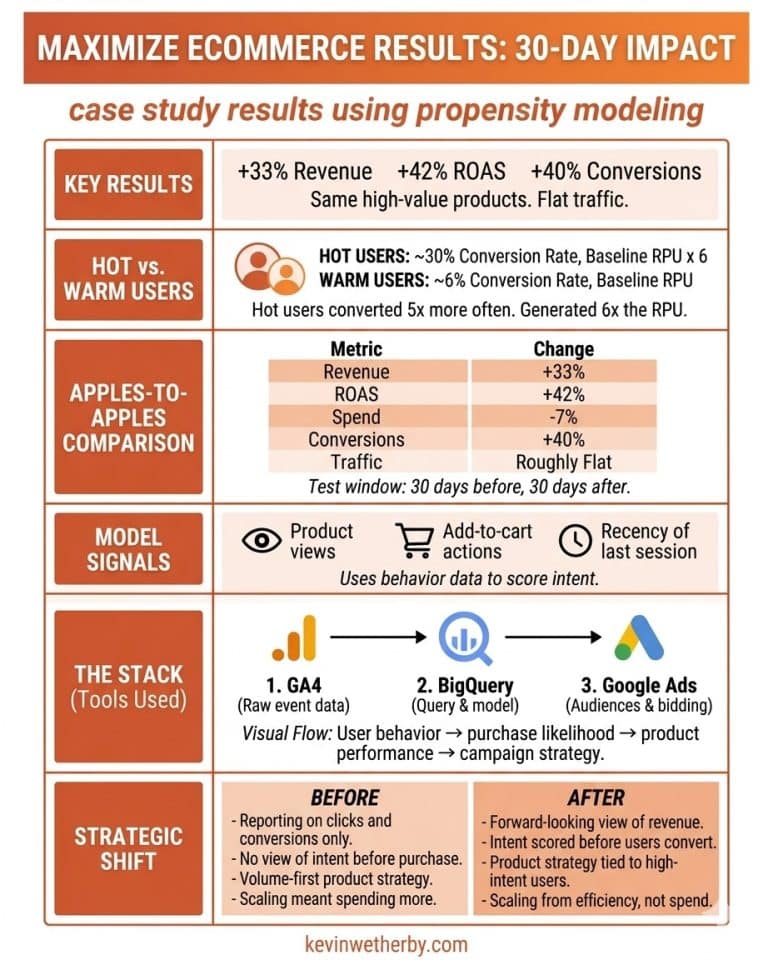
- Built a simple purchase propensity score for visitors likely to convert within 7 days, then fed that segment back into Google Ads for bid adjustments.
Nothing exotic. Just SQL and a warehouse you already have access to if you’ve turned on the GA4 export.
When BigQuery is overkill
If you’re spending under $10K/month on ads, have a short sales cycle, and GA4’s default reports answer your questions, skip it. Setup takes real work. Storage and query costs add up. And if nobody on your side can write SQL or hire someone who can, the data sits there.
Not every business needs a warehouse. I’ll say that honestly because I’ve turned down prospects it wasn’t right for.
The test
If you can’t answer these about your own business today, you’re probably leaving money on the table:
- Which of your top 20 products is actually profitable after ad spend, not just “high revenue”?
- How long does a first-touch paid visitor take to buy, by channel?
- What percentage of your GA4-reported conversions are new customers versus repeat buyers?
- If you paused your top 3 campaigns tomorrow, how much revenue would actually disappear once you account for what other channels pick up?
GA4 can’t answer any of those. BigQuery can, if it’s configured right.
If this sounds familiar
I build this end-to-end for advertisers spending $30K+/month on Google Ads: GA4 configuration, server-side tagging, BigQuery export, custom SQL, and reporting that tells you what to do next rather than just what happened.