Common Merchant Center mistakes that quietly kill performance
The Merchant Center mistakes that matter aren’t the obvious ones.
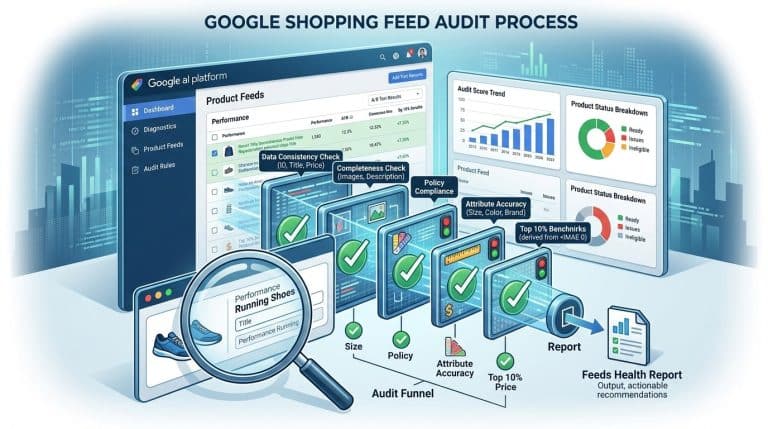
Everyone knows about disapprovals. The diagnostics tab waves a red flag, somebody fixes it, life goes on. The problems that actually cost you money are subtler. They sit in the soft warnings. They show up as silent throttling. They never trigger an alert email.
A note on me. I’m Kevin Wetherby. 19 years in paid search, ex-Google, wrote a book on data feed optimization. I’ve opened a lot of Merchant Center accounts. The same mistakes show up in roughly 80% of them.
Here are the ones I’d fix first.
1. Ignoring account-level issues
Open Merchant Center. Go to Diagnostics. Click the Account tab.
Most accounts have between 2 and 8 issues sitting here. Things like:
- Mismatched information between Google Merchant Center and Google Ads
- Missing or invalid business address
- Missing returns and refunds policy
- Shipping not configured for all product destinations
- Tax not configured for required US states
These don’t disapprove individual products. They suppress account performance subtly. The returns policy issue, for example, is a Free Listings killer. The mismatched info issue can shrink your Shopping ad eligibility.
Fix these first. They’re usually a 30-minute job and they put inventory back into the auction.
2. Price and availability mismatches you never investigate
Google crawls your landing pages and compares them to your feed. If the price differs by more than a few percent, or if the feed says “in stock” and the page says “sold out”, you get flagged.
A few products with mismatches won’t suppress your account. A persistent pattern will. And the products themselves get pulled from auctions until the mismatch resolves.
The fix:
- Run feed updates more often. A few times a day if your prices move daily. The default daily feed update is too slow for many retailers.
- Use automatic item updates (Tools → Automatic item updates). Let Google read your structured data and correct minor mismatches without disapproving the SKU.
- Add product structured data (Schema.org Product) to every PDP. The microdata helps Google match feed to page accurately.
3. Item group ID set to the same value as item ID
I see this constantly on variant catalogs. The developer who built the feed wired item_group_id to the same field as id. So every variant is its own group of one.
This kills variant grouping in Smart Bidding. Each color becomes a separate learning curve. Conversion data fragments. Bidding models that should be sharing signal across 12 variants of the same shirt are learning each one in isolation.
Fix: item_group_id should be the parent SKU, not the variant SKU. All 12 colors of the same shirt share one item_group_id, and each color has its own id.
4. Missing Google product category, or set to a too-generic one
Google product category controls a bunch of category-specific rules. Apparel & Accessories triggers required attributes like gender, age group, and size. Electronics triggers different rules.
If you set the category too generically, you skip the required attributes and end up with disapprovals you don’t understand. If you set it wrong (the “Furniture” category on what’s actually a “Home Décor” product), you compete in the wrong auction.
Fix: use Google’s product taxonomy file. Find the most specific match. Don’t guess. The taxonomy is at https://www.google.com/basepages/producttype/taxonomy-with-ids.en-US.txt. Or let Google decide the taxonomy. The Google category is no longer a required field and Google does a good job of matching the item with the correct category (as long as you are providing the proper identifiers).
5. Promotions not set up, or set up wrong
Merchant Promotions show a savings badge on your Shopping ad. It can lift CTR 5 – 20% depending on the offer.
Two common mistakes:
The promotion is set up in Merchant Center but the promotion_id attribute isn’t populated in the feed. So no products are eligible.
The promotion is broad (“10% off site-wide”) but the badge isn’t showing because the terms aren’t specific enough or the promo isn’t activated for the right country/destination.
Fix: every active promotion should have a promotion ID, the feed should populate that field on eligible products, and the promotion should be Active in Merchant Center for the right destinations. Audit this every time a new sale launches.
6. No automatic item updates enabled
This is in Tools → Automatic item updates. It lets Google read the structured data on your landing pages and use it to correct minor feed errors. Price mismatches, availability mismatches, condition mismatches.
If you turn it off, every minor mismatch becomes a disapproval. If you turn it on, most resolve themselves.
It’s a checkbox. Turn it on. The only reason to leave it off is if your structured data is unreliable, and the fix in that case is fixing the structured data, not disabling the feature.
7. Sale price set without sale price effective date
If you populate sale_price but skip sale_price_effective_date, the strike-through pricing shows indefinitely. Eventually Google’s policy systems decide your “sale” isn’t really a sale and stop showing the badge.
Worse, the price competitiveness report uses your regular price, but buyers see the sale price. So your reporting is misleading.
Fix: always populate sale_price_effective_date when you populate sale_price. Use the actual promo dates.
8. Returns and refunds policy missing or hidden
Required for Free Listings. Required to maintain Merchant Center account health. Most accounts have it set up technically, but the policy is buried on a footer page nobody can find.
Two checks:
- Is the policy linked to in Merchant Center under Shipping and returns → Return policies?
- Is the policy clear and customer-friendly enough to pass policy review?
If the answer to either is no, you’ll see suppression that nobody can quite explain.
9. Shipping not set up for all destinations you serve
Shipping is configured per destination country and per service. A common pattern: a brand serves US and Canada, but the Canadian shipping service was never configured in Merchant Center. So Canadian products go into auctions with $0 shipping showing, which confuses buyers and eventually triggers warnings.
Fix: Tools → Shipping and returns → Shipping services. Make sure every country you serve has at least one shipping service configured, with accurate rates.
10. Disapproved products you’ve never investigated
The Disapprovals tab in Merchant Center is usually full of dust.
If you have 50 SKUs disapproved and 5 of them are hero products, you’re missing real revenue. Even if it’s only 1 hero SKU, that’s worth fixing.
The fix is just: read the disapproval reason, address it, click “Request review” if the policy team needs to re-look at the product. Most disapprovals fix in under 10 minutes once you read what they actually say.
11. Merchant Center and Google Ads not properly linked
If the link is broken or only partial, Shopping campaigns lose access to feed data. Performance reports become unreliable. Custom labels don’t sync. Smart Shopping or PMax loses signal.
Check: in Merchant Center go to Settings → Linked accounts → Google Ads. The Google Ads account should be linked with the right access level. In Google Ads, Tools → Linked accounts → Google Merchant Center should mirror that.
12. Misconfigured automatic improvements
Merchant Center offers automatic improvements (title, description, image background removal). If you turn them all on without auditing them, Google can override your hand-written titles with something worse. If you turn them all off, you miss the wins on long-tail SKUs you’d never optimize manually.
My default: on for description improvements, off for title improvements (because I write my own), on for image background standardization. Adjust per account.
The short list of what to do
If you’ve got an hour this week, in order:
- Open the Diagnostics tab. Read every account-level issue. Fix anything that’s a quick win.
- Turn on automatic item updates.
- Audit your variant catalog for item_group_id correctness.
- Spot-check your Google product category on 10 random SKUs.
- Read every disapproved product and address what you can.
That’s a session of work. Most of it pays back in the next 30 days through unsuppressed inventory and better matching.
For where these fixes sit in a full audit, see How to audit your Google Shopping feed. For the broader feed work, the data feed optimization guide has the full map. For the data stack behind any of this, check out the GA4 and BigQuery for Google Ads.